

A five minute KYC form sounds reasonable until you watch what happens inside it. The applicant uploads a photo of a driver’s license, waits for a confirmation screen, then gets asked to take a selfie, waits again, then submits personal details and waits a third time while something in the background checks those details against a database. Each wait is short on its own. Stacked together, they turn a quick signup into a process that feels like standing in three separate lines at three separate counters.
This is where most onboarding funnels lose people, and it rarely shows up as a single dramatic failure. It shows up as a slow bleed: a percentage of applicants who close the tab during the second wait, a percentage who abandon after an unclear rejection, a percentage who simply never come back to finish a form they started on a lunch break. None of this means the KYC process is doing its job badly. It often means the process is doing its job in the wrong order, with the wrong parts visible to the user.
Automated KYC promises to fix the ordering problem. Whether it actually reduces friction, or just moves the friction somewhere you can’t see it, depends on exactly what gets automated and what doesn’t.
What automated KYC actually replaces
In a manual or semi-manual flow, document upload, liveness check, and database match happen as three distinct stages, each with its own wait and its own chance to fail. The user uploads an ID, a human or a queue checks that it’s legible and not obviously forged, then the user is prompted for a selfie, then that selfie is compared against the ID photo, then a separate process checks the applicant’s name and details against sanctions lists, credit bureaus, or government databases. Each stage can take seconds or days depending on how it’s staffed.
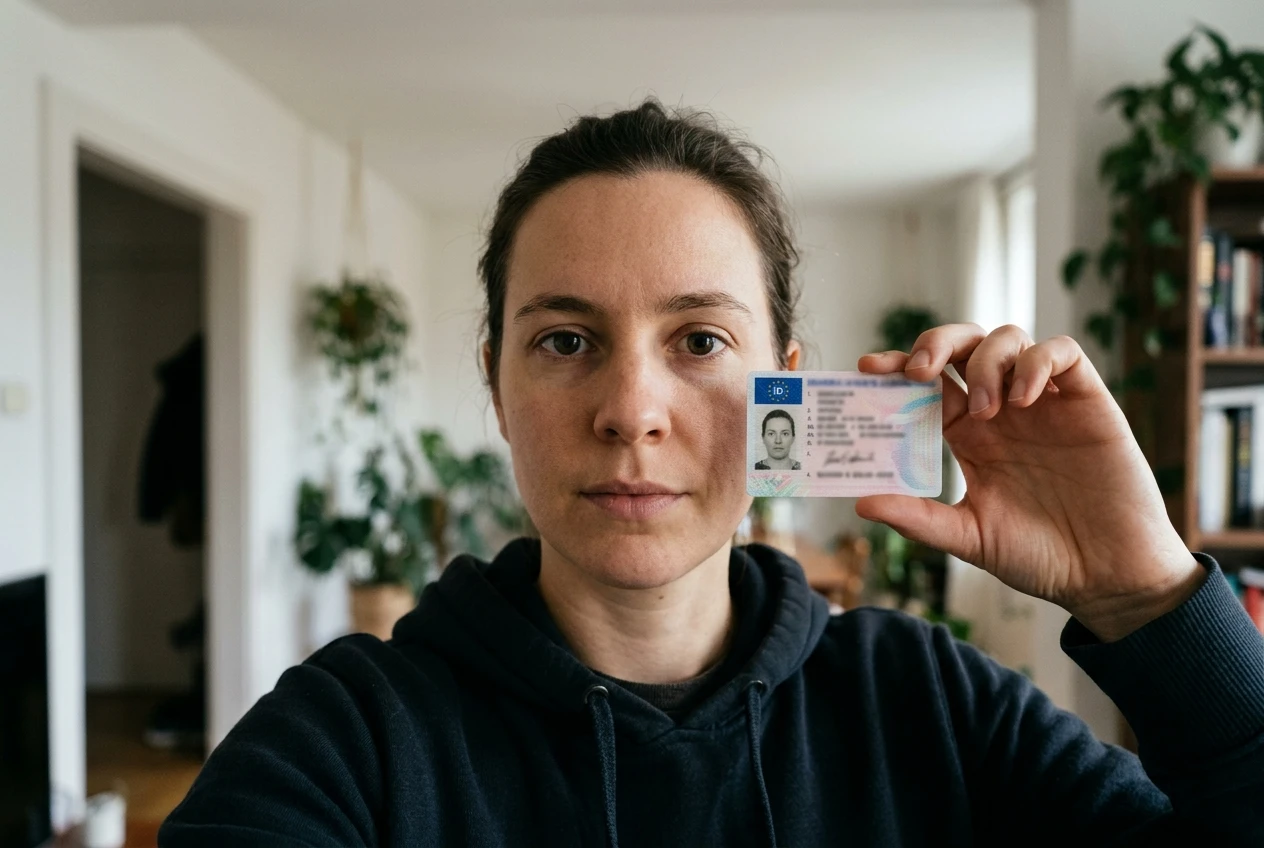
Automated KYC collapses these into a single pass. The applicant uploads a document and takes a selfie in close succession, often in the same camera session, and software checks document authenticity, matches the face to the ID photo, and queries the relevant databases nearly simultaneously. The user experience goes from three distinct waits with three distinct chances to leave, down to one short wait with a single outcome: approved, rejected, or flagged for review.
That collapse is the real product here, more than the automation itself. A manual system and an automated one can use the same underlying checks; what changes is whether the applicant experiences them as one event or three.
The friction points automation removes, and the ones it only moves
Automation removes some friction outright. It removes the dead time between stages, which is the single biggest driver of signup abandonment in identity verification. It removes the need for an applicant to come back later to finish a flow that got stuck in a queue. It removes a layer of ambiguity too: instead of “your application is under review,” most automated flows give a near-immediate yes, no, or “we need more information,” which at least lets the applicant know where they stand.
But automation doesn’t remove friction so much as relocate some of it. Consider a few places that friction shows up later instead of disappearing:
- Edge cases that fail automated checks still need a human, and that human-review queue is often slower than the manual process it replaced, because it’s now handling only the hard cases with no easy ones mixed in to keep throughput moving.
- False rejections push legitimate users into an appeals process that’s usually worse than the original form, because almost nobody designs the appeals path with the same care as the happy path.
- Liveness checks that fail due to poor lighting or a scratched phone camera generate retries, and a user retrying a selfie three times experiences more friction than the one-time wait a manual process would have cost them.
The net effect, for the typical applicant who passes on the first try, is faster and smoother. For the applicant who doesn’t, automation can make the experience worse, not better, because the fallback path wasn’t built with the same attention as the automated one. A friction audit that only measures the median onboarding time misses this entirely.
This is a different trade-off than the one covered in the rise of RegTech, which looks at automated compliance as a cost and risk question. Here the question is what the applicant actually experiences, and where that experience still breaks.
Where a human still needs to be in the loop
No automated KYC vendor claims to replace human review entirely, and the ones that imply otherwise should be treated with suspicion. Three situations reliably need a person:

Mismatched names. A legal name on a government ID doesn’t always match the name on a utility bill, a bank statement, or even a previous account, for reasons ranging from marriage to transliteration differences to a simple typo on an old document. Automated systems can flag the mismatch; deciding whether it’s a legitimate reason or a red flag usually needs judgment a rules engine doesn’t have.
Document types the system wasn’t trained on. Passports and driver’s licenses from the applicant’s primary markets tend to be well covered. A less common document, an older design, or a damaged or worn ID can produce a low-confidence match that the system correctly refuses to approve on its own. Someone still has to look at it.
Anything flagged for fraud indicators. A document that passes authenticity checks but matches a pattern seen in prior fraud attempts, an IP address inconsistent with the applicant’s stated location, a selfie that shows signs of being a recorded video rather than a live feed. These require a reviewer who can weigh several weak signals together rather than a single pass or fail threshold.
The design choice that matters here isn’t whether to keep humans in the loop. It’s how much of your onboarding volume you expect to need them, and whether your review team’s capacity and speed match that volume. A vendor’s accuracy rate effectively sets your staffing requirement, whether or not anyone states it that way.
Measuring the trade-off properly
Approval speed is the easiest number to put in a sales deck, and it’s the wrong number to optimize on its own. A system that approves 95% of applicants in ten seconds but wrongly rejects 8% of legitimate ones isn’t faster in any meaningful sense, because those rejected users still need a manual review, an appeal, or they just leave. The speed gain shows up in the average, but the churn shows up in the applicants you never see again.
The two numbers that matter alongside approval speed are the false-positive rate (legitimate users wrongly rejected or flagged) and the false-negative rate (fraudulent or ineligible applicants wrongly approved). These pull against each other. A vendor can tune their system toward either one, and the direction they choose by default usually favors whichever number looks better in a sales pitch, not whichever number matches your risk tolerance.

A practical way to evaluate this:
- Ask for false-positive and false-negative rates measured on live onboarding traffic, not on a curated test set. Test sets are built to make a vendor’s system look good; your traffic is not.
- Track how many flagged applicants actually complete the manual review process, versus how many abandon once they’re pushed into a slower path. This tells you the real cost of a false positive, beyond the review team’s time.
- Compare your overall conversion rate before and after automation, not just your median time-to-approval. A faster median with a lower overall conversion rate means the speed gain is coming at the expense of the applicants who needed the slow path.
- Revisit these numbers periodically. Fraud patterns shift, document types in your user base shift as you expand into new markets, and a vendor’s accuracy on day one isn’t a guarantee of accuracy a year later.
This kind of layered evaluation is the same discipline worth applying to any security control that also touches the user experience, the same way it’s worth applying to the shift from passwords to biometric login: the technology can be strictly better on paper and still create a worse experience if the failure modes aren’t accounted for.
Questions to ask a KYC vendor before their accuracy becomes your churn rate
Before signing with any automated KYC vendor, get answers to these in writing, not just in a demo:
- What is your false-positive rate on live traffic, broken down by document type and region, not just as a single blended number?
- What happens to an applicant who fails the automated check: what does their manual review path actually look like, and how long does it typically take?
- How do you handle name mismatches, address changes, and document types outside your core supported list?
- How often do you retrain or recalibrate the underlying models, and how do you notify customers when accuracy changes?
- Can we see your false-negative rate, or at least your process for measuring how much fraud gets through undetected?
If a vendor can answer the speed question confidently but goes vague on the accuracy questions, that gap is the answer. The speed is the part they want to sell you. The accuracy is the part that becomes your problem, quietly, a few months after launch.
If you are evaluating KYC vendors, ask for their false-positive rate on real onboarding traffic before you ask about their approval speed.